AI image detector
How to read an AI image detector result
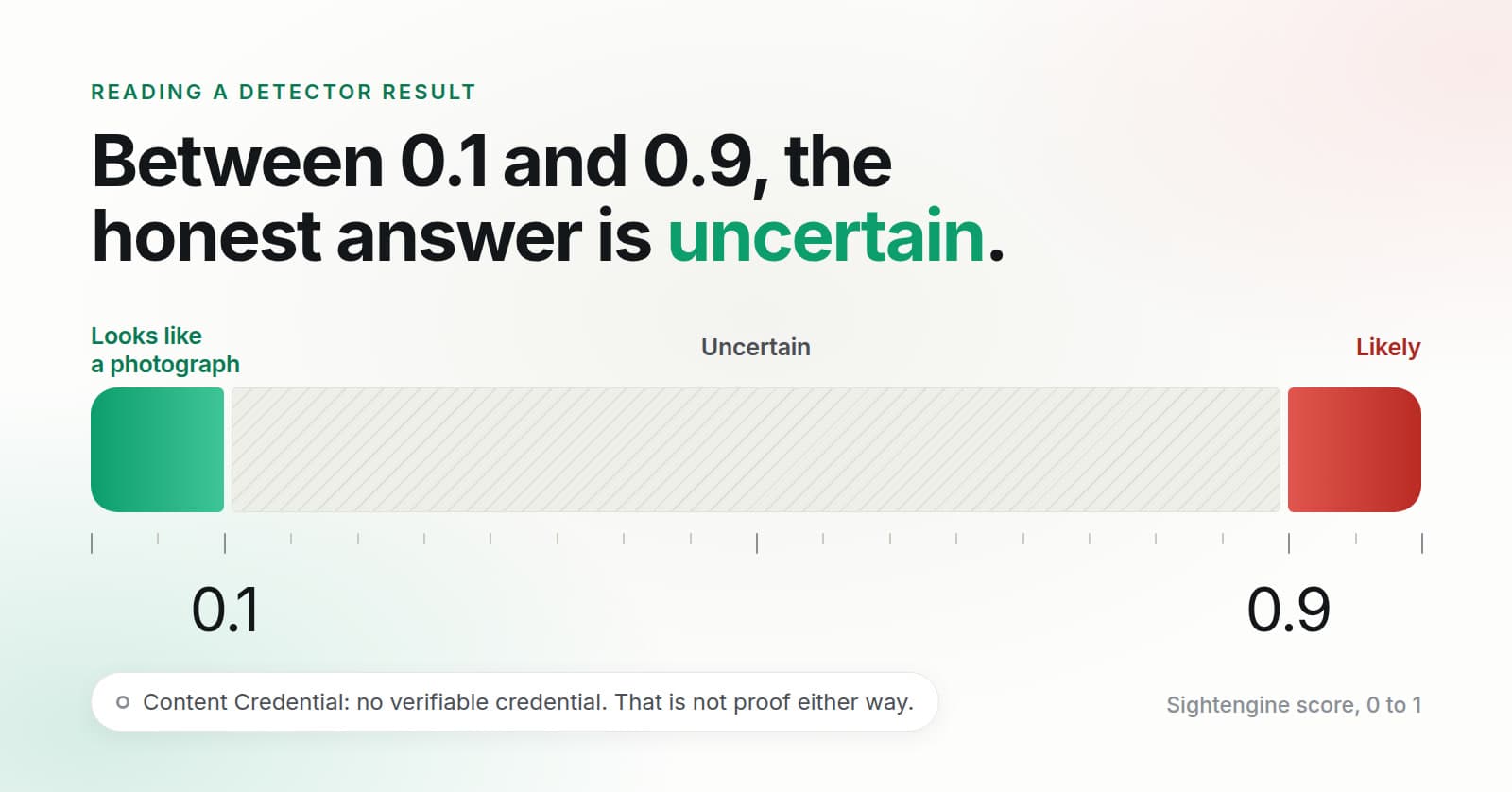
A detector result is a model's score for one file, not a ruling on the picture. Here, a score of 0.9 or higher reads Likely, 0.1 or lower reads Looks like a photograph, and everything between is Uncertain. A low score does not prove a photo is real. A missing Content Credential proves nothing. Neither one tells you whether a real picture has a true caption.
The Internet Society's guide to checking images, which I read on October 19, 2026, says the most common trick online is not a fake image but a real one shared with a false caption. It also says Content Credentials are not yet widely available. A detector answers a narrower question than either of those, and it helps to know exactly how narrow.
What happens when you upload a photo
The AI image detector is free and takes one JPG, PNG, or WebP up to 5 MB. Free checks are capped per month across the site; when they run out, the page says nothing was scored instead of showing a result.
Two things run on the file. First, the server looks for a Content Credential and validates its signature. Second, the file goes to Sightengine, which returns two scores between 0 and 1: one for a generated image and one for a face swap. Sightengine receives the image for this check, and it is deleted within 15 minutes, the same timer as a search.
Read the result in this order
- The credential line. It says one of three things. “No verifiable credential.” means nothing usable was found. “A signed credential is present. It does not say a trained model created this file.” means a valid signature exists but it makes no claim about AI. A line saying a signed credential shows the file was created by, or includes content from, a trained model is the strongest fact on the page, because a signature was checked. A signed AI credential also stops the image from reading as a photograph, whatever the pixel score says.
- The sentence beside the ring. It is one of four: “The input is likely AI-generated,” “The input is likely a deepfake,” “The input is not likely to be AI-generated or deepfake,” or “The input is uncertain.” Only the third needs both scores at 0.1 or lower.
- The ring. It shows the generated-image score as a percent. If the face-swap score is Likely and the generated-image score is not, it shows the face-swap score instead. It is the number behind the sentence. It is not the odds that the image is fake.
- The bars. When Sightengine returns a breakdown by generator, each bar carries the name it returned, highest first. When it does not, the bars are Generated image and Face swap. A bar names a class the model scored. I treat a generator name as a hint about the file, not as a finding about who made it.
- The question the tool cannot answer. Where did this picture come from, and does the caption fit it?
What Uncertain means
Uncertain is the whole range above 0.1 and below 0.9. It is not a coin flip, and it is not a polite way of saying fake. It means the score did not clear either edge. I did not lower the 0.9 edge to make results look more decisive: a file that scores 0.85 is Uncertain here, even though it is tempting to call it Likely.
When you get Uncertain, do not pass the picture on as real or as fake. Ask whoever sent it for the original file rather than a screenshot. Look for the earliest place it was posted and read the caption and date there. If you cannot establish where it came from, say so. That is a normal outcome, and it is more useful than a guess.
What a low score cannot tell you
Looks like a photograph says the model found no strong sign of generation or a swapped face in that file. It says nothing about when or where the photo was taken, who is in it, or whether the person who sent it is that person. A real photo with a false caption passes. So does a real portrait that someone stole and put on a profile.
A missing Content Credential works the same way. Most photos never carried one, and a screenshot is a new file with no credential in it. The tool shows a credential only when the signature validates, and “No verifiable credential.” is not evidence for the photo or against it.
If a face is in the photo, you can start a search after the check. It looks for similar faces on public pages. It does not name the person, and a check does not prove a real person exists. For the stolen portrait case, that second step is the useful one; the reverse face search guide explains what its results do and do not show.
What would change my mind
I show the score and the bands, and I do not print an accuracy figure, because I do not have a measured error rate for this tool on the kind of files people upload here. If I could check one on photos like those, I would put that number beside the ring. Until then, a detector result is one input, and a signed credential or a traced source beats it.
Questions people ask
What does Uncertain mean on an AI image detector?
It means the score fell between 0.1 and 0.9, so the detector will not call the file either way. It is not a 50/50 verdict. Treat the image as unverified: look for where it was first posted and ask for the original file.
Does a missing Content Credential mean the photo is real?
No. Most photos carry no signed credential, and a screenshot or a re-save is a new file without one. A missing credential says nothing in either direction. A signed credential is a fact about the file only when its signature validates.
Is the percentage in the ring the chance the image is AI?
No. The ring shows one Sightengine score, from 0 to 1, written as a percent. It is a model score for that file, not a probability and not an accuracy figure.
Written by Nikola Marković. Checked against the live detector page and the code behind it on October 19, 2026.